Three-axis vibration velocity
Acquire X, Y and Z velocity time histories with a 5–500 Hz measurement frequency range. Keep original records for peak velocity and dominant-frequency analysis.

Battery-powered blast vibration monitoring
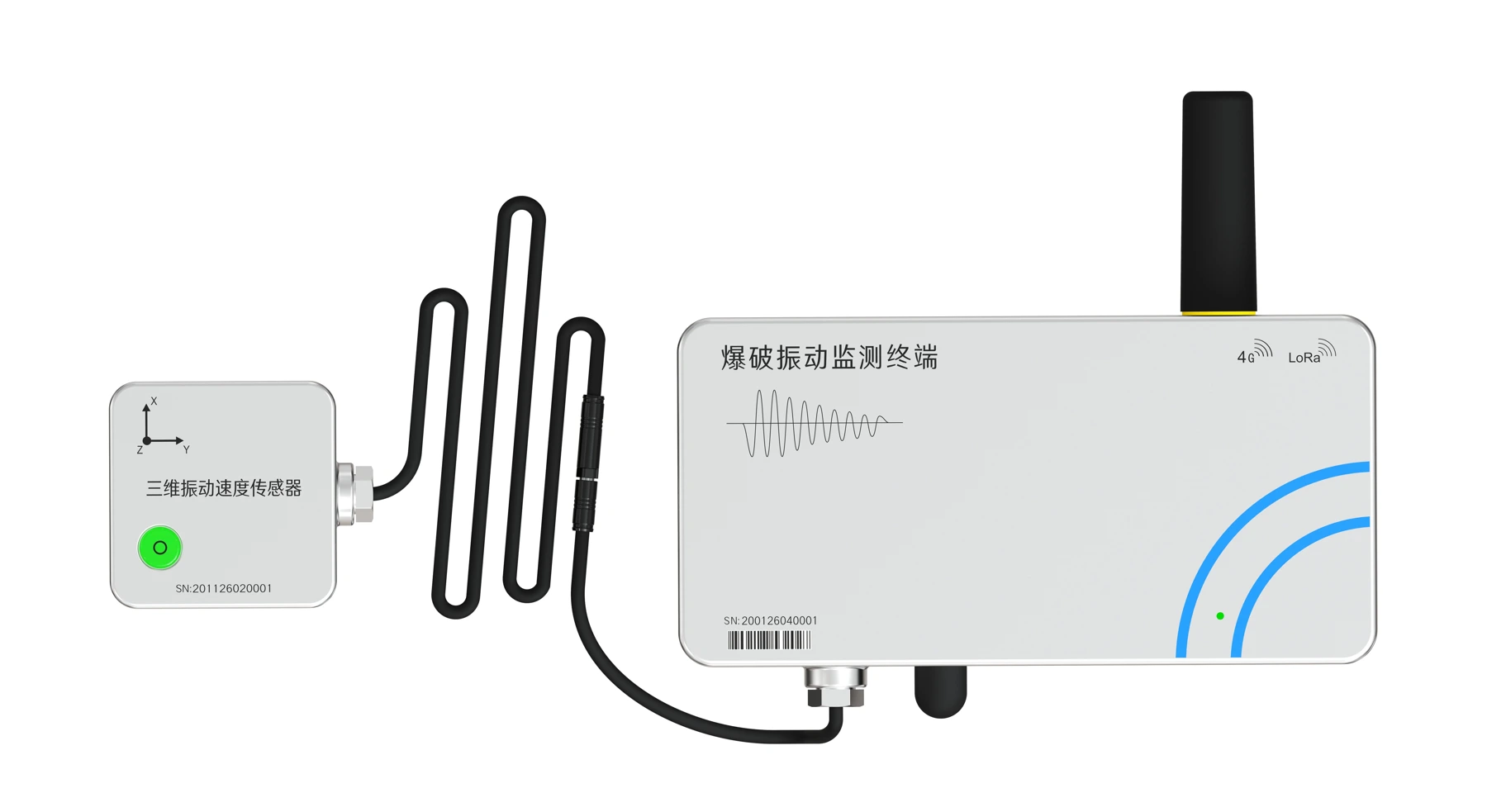
The RT-2001 uses a built-in 95 Ah battery and a triaxial velocity sensor to record triggered vibration events. Use direct 4G uploads, optional LoRa Mesh multi-hop transmission and Bluetooth for on-site maintenance and data retrieval.
Measurements
Configure sampling rate and event record length for the monitoring objective, taking the sensor frequency range into account.
Acquire X, Y and Z velocity time histories with a 5–500 Hz measurement frequency range. Keep original records for peak velocity and dominant-frequency analysis.
Select 1, 2, 4 or 8 kHz sampling and a 2–10 s record length. Configure pre-trigger recording and the trigger threshold for the site.
Store waveforms in local NOR Flash and transmit over 4G or optional LoRa Mesh. Use the Android app via Bluetooth for on-site maintenance and data retrieval.
Benefits
The terminal enters low-power mode when no event is triggered and acquires event waveforms when vibration triggers recording. A built-in 95 Ah battery removes the need for external power.
Optional LoRa Mesh forwards event data through RT-2001 relays to an RT-2001 gateway with 4G coverage, then uploads it to the server. Suitable for tunnel coverage gaps where relay nodes can be deployed.
Both the acquisition terminal and triaxial velocity sensor have IP68 protection. Plug-in connectors simplify connection at outdoor monitoring locations.
View vibration data, waveforms and device status in the cloud. Remote parameter configuration and firmware upgrades support ongoing maintenance.
Communications & networking
Use direct 4G uploads at covered locations. Optional LoRa Mesh carries event data from uncovered monitoring points to a gateway with stable 4G coverage.
Each RT-2001 uploads independently to the server. Covered monitoring points do not require a shared field gateway or relay nodes.
Acquisition nodes and configured RT-2001 relays forward data hop by hop. An RT-2001 gateway then uploads the received data over 4G.
No cellular coverage · e.g. inside a tunnel
Triaxial velocity sensor input
Forwards to the next node
Forwards to the gateway
Stable 4G coverage
Receives Mesh data
Server & platform
Waveforms · events · device status
Confirm the optional Mesh configuration, firmware and node roles. Validate relay placement, hop count, transmission range, concurrent events and end-to-end delivery time under actual site conditions.
Use the Android app nearby to configure the terminal, view waveforms and retrieve stored records. Sync downloaded data when the phone is online. This provides local access and record retrieval alongside the remote transmission path.
Data & reports
The Safety Monitoring & Early Warning Cloud Platform brings event data and report preparation into one workflow.
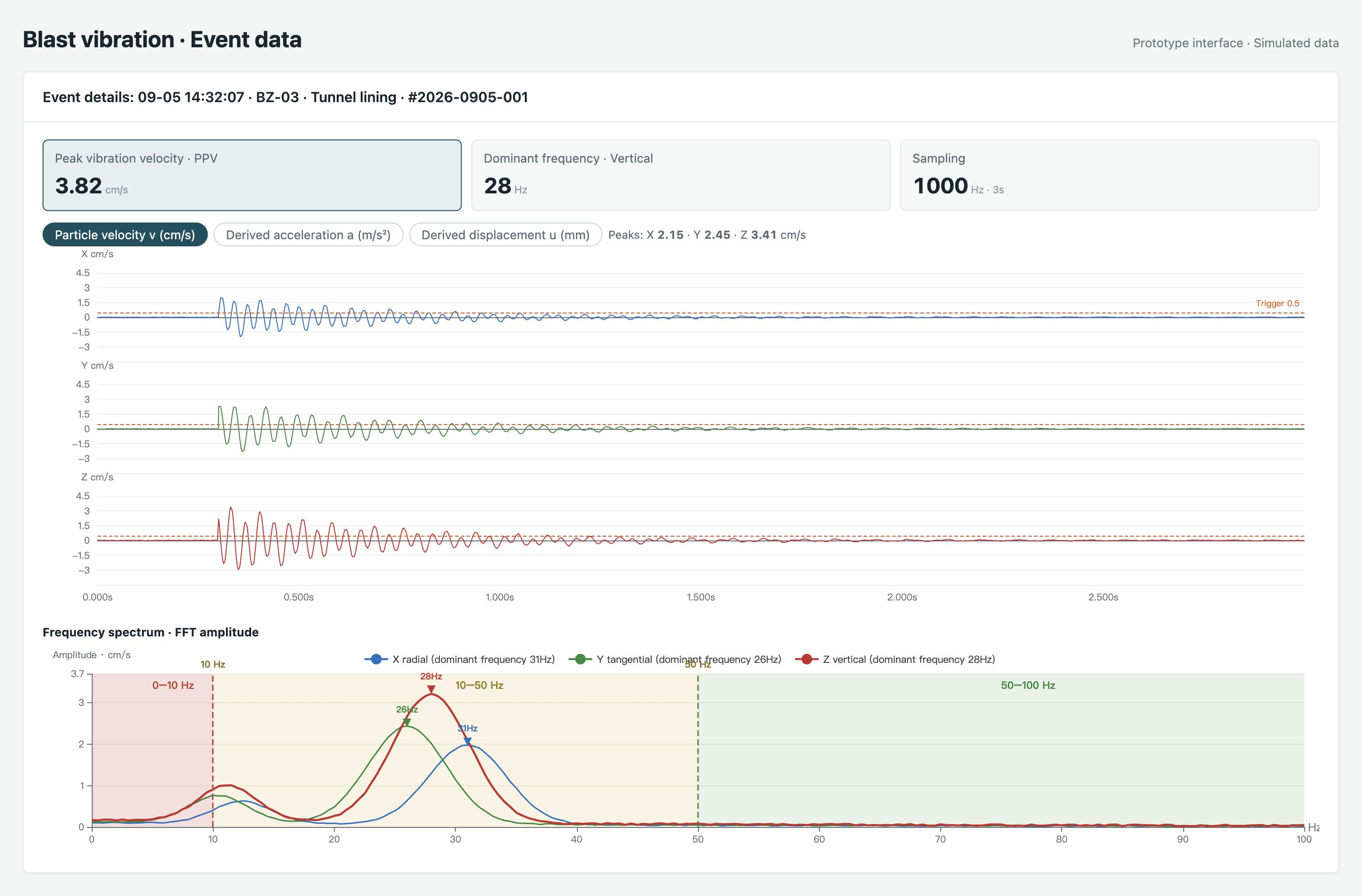
Review blast events by monitoring point, with PPV, dominant frequency, three-axis velocity waveforms and FFT amplitude spectra. Compare signals across all three directions.
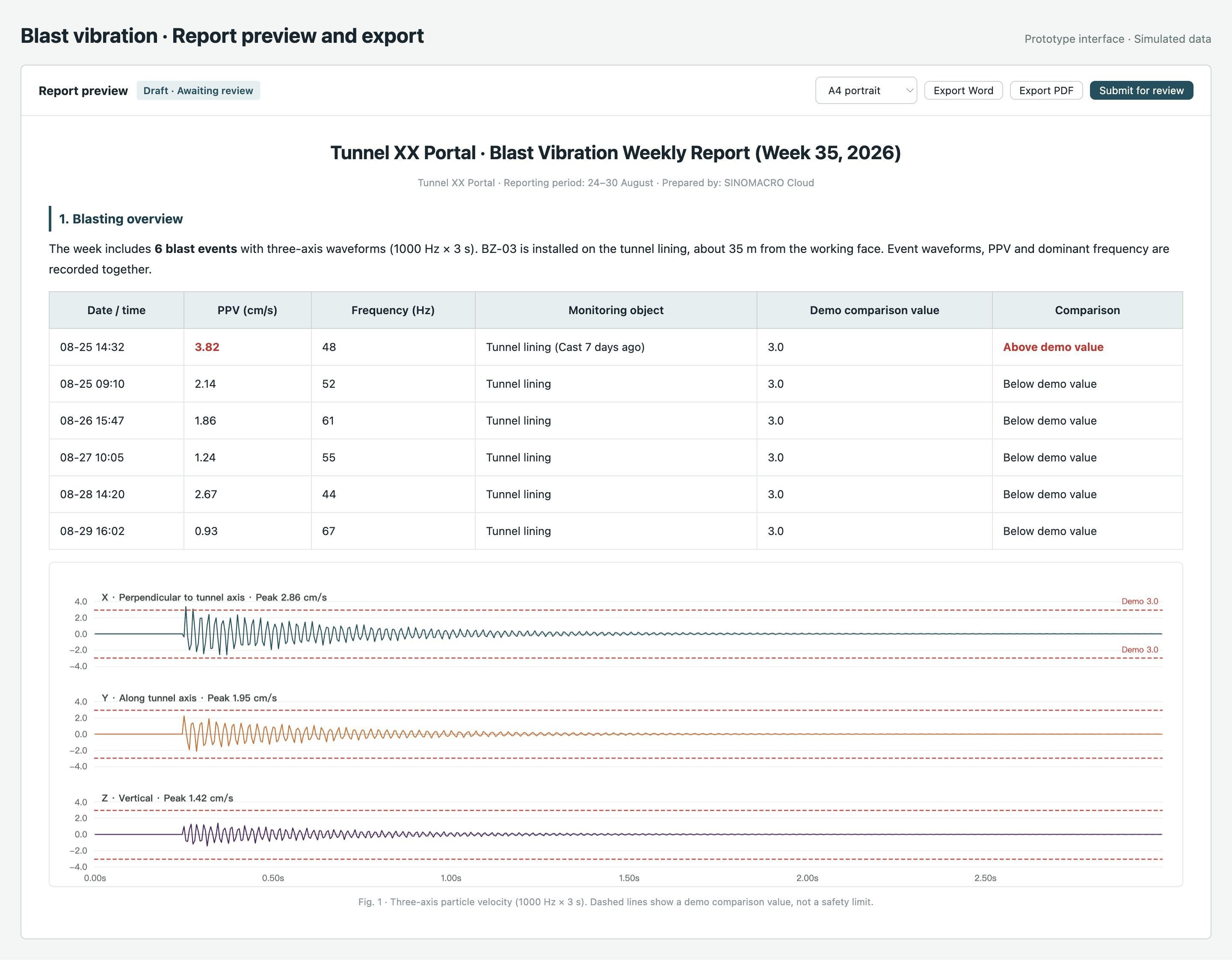
Bring event records, peak values, dominant frequencies and waveform plots into a report. Preview the contents, choose the page layout and submit for review, with Word and PDF export options.
Android App
Use the Android App to retrieve recorded data locally when 4G coverage is unavailable. Review records on site, then upload them to the cloud when your phone has network access.
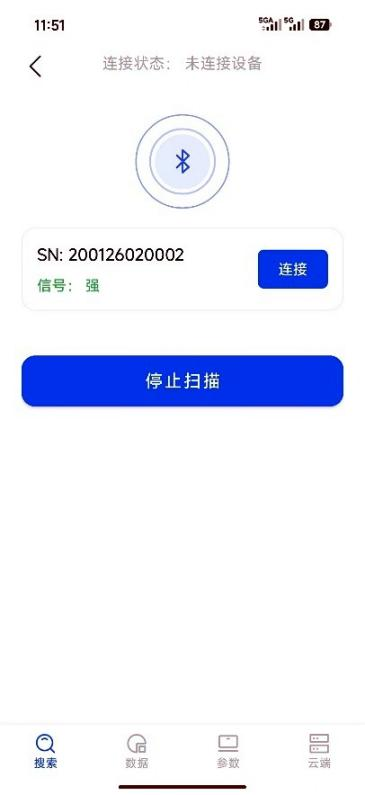
Scan for nearby terminals and connect to the selected device.
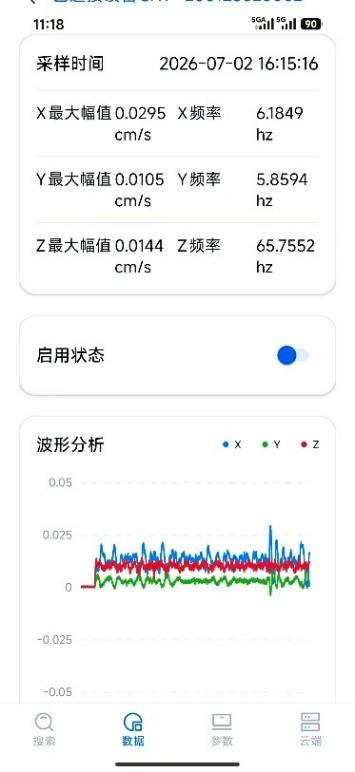
Review three-axis waveforms, peak values and dominant frequencies after acquisition.
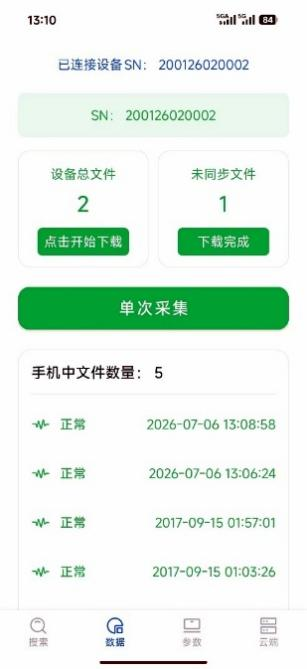
Download event files from the terminal to your phone, including records not yet uploaded over 4G.
Sign in and synchronize downloaded records when your phone has network access.
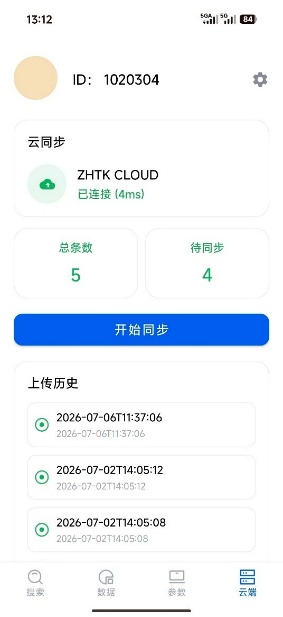
Chinese App interface examples · Demonstration records · Click an image to view details. Contact our technical team to obtain the Android App.
Applications
Specifications
Product support
Contact our technical team for current product information and project configuration.
Discuss your monitoring requirementsNo. The built-in 95 Ah battery powers the system at monitoring locations without an external supply.
Optional LoRa Mesh forwards data through configured RT-2001 relays to an RT-2001 gateway with stable 4G coverage, which uploads to the server. The Android app provides nearby Bluetooth maintenance and local record retrieval; downloaded data can be synchronized when the phone is online.
LoRa Mesh is optional. Confirm acquisition, relay and gateway roles against the delivered configuration and firmware. The gateway requires stable 4G coverage.
Determine relay locations and hop count through site testing, considering obstructions, bends and node placement. Validate the complete path from event triggering to platform reception, including record integrity and delivery time when multiple points trigger together.
Recording is event-triggered. Select 1, 2, 4 or 8 kHz sampling, a 2–10 s record length (default 3 s) and a 0–0.25 s pre-trigger duration. Sampling rate, measurement frequency range and record length are separate parameters to configure for the monitoring objective.
The terminal supports bracket or band-clamp mounting. The sensor can be mounted at a tunnel crown, on a wall or on the ground. Follow its direction marks and leveling requirements, secure it in place and connect the sensor cable to the terminal.